
What Does CMYK Mean?
CMYK stands for Cyan, Magenta, Yellow and Key (Black). It is the standard colour model used in commercial printing and forms the basis of most label printing processes. Printed images are created using tiny dots of these four colours. By varying their proportions, modern digital presses can reproduce a wide range of colours and produce high-quality full-colour labels.
CMYK vs RGB
Understanding the difference between CMYK and RGB is essential when preparing artwork for print.
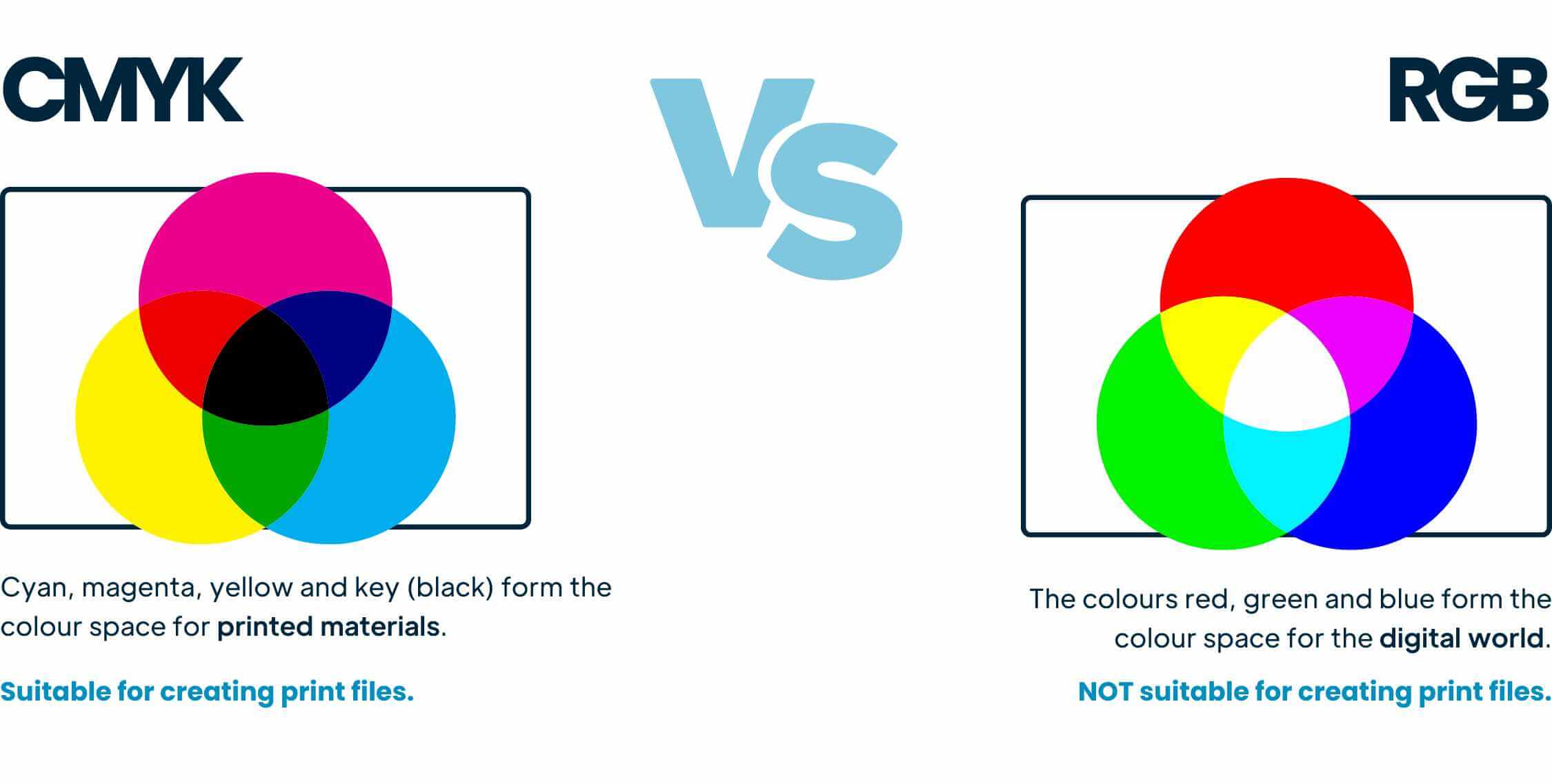
RGB (Red, Green and Blue) is the colour model used for screens, including computers, tablets and smartphones. RGB is an additive colour model, meaning colours are created by adding light.
CMYK, on the other hand, is a subtractive colour model used for printing. Colours are created by applying ink to a white surface, such as paper or label material.
Because the two colour spaces work differently, colours displayed on screen may not appear exactly the same when printed.
If artwork is supplied in RGB, it will need to be converted to CMYK before printing, which can result in slight colour variations.
Converting RGB Artwork to CMYK
For the most accurate print results, we recommend creating your artwork in CMYK from the outset.
Most professional design applications allow you to work directly in CMYK, including:
- Adobe Illustrator
- Adobe InDesign
- Adobe Photoshop
- CorelDRAW
- Microsoft Publisher
Preparing your artwork in CMYK helps minimise unexpected colour shifts and provides a more accurate representation of the final printed result.
Can Pantone Colours Be Printed in CMYK?
Many Pantone® colours can be closely matched using CMYK printing. However, some colours — particularly fluorescent, metallic and certain pastel shades — fall outside the CMYK colour gamut and cannot be reproduced exactly.
If your design includes Pantone colours, we recommend:
- Specifying the Pantone colour references in your artwork.
- Supplying colour references wherever possible.
- Converting the final artwork to CMYK before submission.
- Ordering a printed proof for critical colour applications.
Please note that Pantone colour simulation may result in visible shade differences compared to the original Pantone swatch.
You Might also Be Interested in:
Get in Touch With Us
If you have any questions about CMYK printing, artwork preparation or colour reproduction, our team will be happy to help.
Call us on +44 203 588 1080 or email info@label.co.uk.